How to Claim Your Business in ChatGPT: Business Hub Setup, Verification and Business Agents (2026)
Quick answer: Open ChatGPT, choose Business Hub in the sidebar, search for your business and verify it by business phone, business email, a DNS TXT record on your domain, or Shopify. After OpenAI approves the claim, finish Persona identity checks to edit your details, see mentions and clicks, and, for eligible US online businesses, launch a Business Agent.
What Businesses in ChatGPT and Business Hub are
On 10 November 2026 OpenAI launched Businesses in ChatGPT in beta. It gives companies a way to claim their business inside ChatGPT, keep its details current and see how people engage with it there. OpenAI says ChatGPT is used by 1.2 billion people each week (OpenAI, 10 November 2026).
The product has three parts, and it helps to keep them apart because each has different rules:
- Business Hub is the dashboard where you claim the business, edit its profile and, if you sell products, connect a product feed with prices and availability.
- Insights show aggregated mentions, website clicks and “discovery topics” for your business in ChatGPT.
- Business Agents are chat assistants that answer customer questions using information you provide. They are available first to eligible ecommerce and online service businesses in the United States.
Reuters summarised it the same way: companies can claim and manage their profile, add product feeds, and track mentions, views and website clicks, while OpenAI says it does not share users’ conversations or Business Agent chats with businesses (Reuters, 10 November 2026).
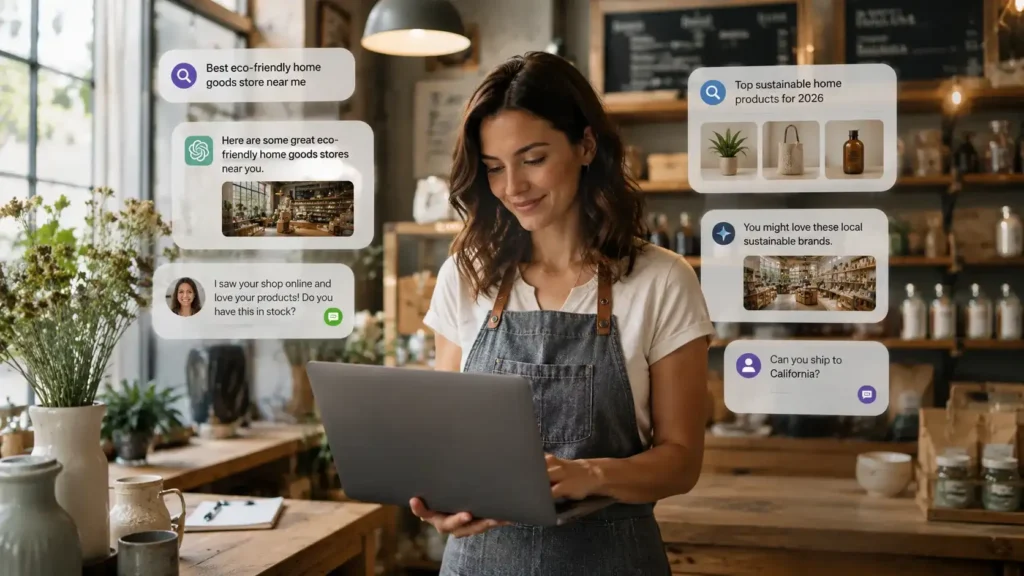
If you have ever claimed a Google Business Profile, the idea will feel familiar. The difference is where the customer is. On Google they are looking at a list of results. In ChatGPT they are in the middle of a conversation, often asking which option fits them best, and your profile and agent appear inside that conversation.
Who can claim a business in ChatGPT
OpenAI’s help page sets out the rules. You can claim a business if you own it or are authorized to represent it, you verify that connection, and OpenAI approves the claim. You do not need an Ads account or a ChatGPT Enterprise agreement. Availability depends on the business’s location and type (OpenAI Help Center).
The four features have different requirements, so check each one separately:
| What you want to do | What OpenAI requires |
|---|---|
| Claim an existing listing | Own or represent the business, pass one verification method, and get the claim approved |
| Add a business that is not listed | Possible for eligible online businesses. Local stores and restaurants can currently claim only an existing US listing |
| Edit details, connect a feed or view insights | An approved claim plus approved Persona identity verification |
| Create a Business Agent | All of the above, plus an eligible ecommerce or online service business in the US with a website that meets the Business Agents Policy |
Existing OpenAI Enterprise customers and advertisers can claim through their OpenAI representative instead, and Shopify merchants can connect their store from Business Hub or the Shopify admin to speed up verification (OpenAI).
How to claim your business in ChatGPT, step by step
The steps below follow OpenAI’s own setup guide (OpenAI Help Center). The menu names are OpenAI’s and may change during the beta.
- Sign in to ChatGPT and open Business Hub from the sidebar. Use the ChatGPT account you want to manage the business with, ideally one tied to a company email rather than a personal one.
- Search for your business by name and select the listing that matches it. Confirm the account that will manage it.
- Choose a verification method from those offered for your business and follow the prompts.
- Wait for OpenAI’s review. OpenAI emails its decision or a request for more information. You can cancel the claim while it is under review.
- Complete Persona identity verification so you can publish changes, connect a feed, view insights or build an agent.
- Update your profile: website, business description, category, logo, delivery and return policies, cover photo and other optional details.
If you received a claim invitation by email, open the personal link and sign in with the address that received it. If you see “Contact support”, the listing is locked and you need OpenAI Support to get access.
The four verification methods
- Business phone. Choose a text message or an automated call to the number shown, then enter the code. This only works if that number reaches you, so check it before you start.
- Business email. A code goes to the email address associated with the business.
- Website domain. Add the TXT record ChatGPT shows you to your domain’s DNS, copying the type, host and value exactly, then select Verify domain. DNS changes can take time to appear.
- Shopify store. Connect Shopify, review the permissions and sign in to the store you are claiming.
For most service businesses with their own website, the domain method is the most dependable, because it proves control of the asset customers already trust. If your developer or agency manages DNS, send them the record exactly as shown.
If someone else already claimed it
Open the profile, use the more options menu and select Dispute ownership, then prove with Persona that you are authorized to represent the business. OpenAI notes that claiming or disputing a profile does not change its visibility in ChatGPT (OpenAI Help Center).
Persona verification and the blue check
Claiming a listing is not the same as being verified. OpenAI says the blue verified badge appears only after your Persona verification is approved, and that you may need a government-issued ID, business registration information and proof that you can represent the business (OpenAI Help Center).
The most common reason checks fail is a mismatch. OpenAI asks that the business name, address and any registration or tax number match your official records. Before you start, pull up your registration documents and make sure your website, Google Business Profile and invoices use the same legal name and address. Submitting to Persona does not mean you are approved, so wait for the email before assuming features are unlocked.
One detail worth knowing: if you use Persona to create a brand-new profile, OpenAI’s approval publishes that profile automatically, with no separate publish step. Have your description, logo and policies ready first.
What Business Hub insights tell you, and what they don’t
Once verified, the Insights tab shows activity over the past 28 days (OpenAI Help Center):
- Mentions. For an online business, a mention counts only when ChatGPT references your website. Your brand name alone does not count. For a local business, a mention counts when ChatGPT shows a result for that location.
- Website clicks. How often people click through to your site.
- Discovery topics. Common themes in answers that mentioned or cited you. They are grouped themes, not individual prompts.
Counts may be incomplete. A blank metric can mean you are below a reporting threshold or data is still being collected, not that nobody saw you.
This is the first time a major AI assistant has given ordinary businesses an official count of how often it cites them. Because a mention for an online business depends on ChatGPT citing your website, the pages on your site, not just your profile, decide how often you show up. That is the job of answer engine optimization, which we explain in AEO 101.
Business Agents: what they can and can’t do
After claiming and verifying, eligible US ecommerce and online service businesses can build, test and publish a Business Agent. When your business appears in an answer, people can open your ChatGPT profile and, if an agent is live, start a separate, clearly labeled conversation with it (OpenAI).
OpenAI’s setup guide recommends reviewing the information the agent will use, previewing it with a question customers often ask, fixing wrong answers, and only then selecting Publish. Customers can chat only with a published agent (OpenAI Help Center).
Know the limits before you plan around it:
- The agent explains products and policies and links to your website. It cannot complete purchases, make bookings or check a customer’s order. Those still happen on your site.
- Businesses do not receive the chats customers have with their agent.
- You can sponsor your agent and use it as the destination for ChatGPT Ads, and sponsored placements are labeled. OpenAI says advertising does not influence ChatGPT’s independent answers.
That first limit matters. If the agent sends interested people to your website, the website has to finish the job: clear pricing or a quote form, fast pages and an easy way to book. An AI receptionist or website chat assistant can then answer the follow-up and take the booking that ChatGPT’s agent cannot.
Canada, the UK, Australia and Singapore: what applies today
OpenAI says any eligible business located where ChatGPT is available can claim its business, and that it plans to expand Businesses in ChatGPT and Business Agents to more markets and categories over time (OpenAI). It has not published dates.
For businesses outside the US, read the help page’s two limits closely. Local stores and restaurants can currently claim only an existing US listing, and Business Agents are limited to eligible US ecommerce and online service businesses (OpenAI Help Center). So a UK online retailer or an Australian software company may be able to claim or add its profile now, while a Toronto dental clinic or a Singapore restaurant will likely have to wait.
Waiting does not mean doing nothing. Everything that makes a claim go smoothly later, consistent records, a verified domain, clear service pages and strong citations, also helps you get cited by ChatGPT, Google AI Overviews and Perplexity today.
Checklist: get ready to claim and get cited
Work through this list this week. Most of it takes an afternoon.
- Match your records. Use the same legal name, address and phone number on your registration documents, website footer, Google Business Profile and directories.
- Make sure the phone number reaches you. If you will verify by phone, the code arrives by text or automated call to the number OpenAI shows.
- Get DNS access. Know who manages your domain so a TXT record can be added the same day.
- Use a company ChatGPT account. The admin who claims the business can later add teammates and grant an agency access, so start from an account your company controls (OpenAI Help Center).
- Write your profile copy in advance. A plain description of what you do, who for and where, plus your category, logo, and delivery and return policies.
- Publish the pages ChatGPT can cite. One clear page per service, an FAQ that answers real customer questions, and visible prices or price ranges where you can.
- Add structured data such as Organization and FAQ schema. Our free Organization schema generator and FAQ schema generator make this quick.
- Prepare a product feed if you sell products, as a Shopify connection or a CSV that follows OpenAI’s feed specification.
- Plan the hand-off. Decide what happens when a ChatGPT visitor lands on your site: a booking link, a quote form, or an assistant that answers instantly.
- Record a baseline. Note your website’s referral visits from chatgpt.com in your analytics now, so you can compare once Business Hub insights appear.
Will claiming make ChatGPT recommend you more?
No, not by itself. OpenAI states that claiming lets you manage the information you provide but does not guarantee more visibility or give you direct control over ChatGPT’s independent recommendations. It also notes that updates take time to appear and that ChatGPT may draw on other sources when it answers questions about your business (OpenAI Help Center).
Those other sources are your website, reviews, directories and what others write about you. That is why we treat the claim as step one, and the content that earns citations as the ongoing work. Our guides on winning customers from ChatGPT, Google AI and Perplexity and generative engine optimization cover that side in detail, and our free AEO checker shows how answer-ready a page is today.
If your current website would not hold up when ChatGPT sends someone to it, that is the gap to close first. We can build you a free live website preview so you can see the fix before paying anything.
Want ChatGPT to cite your business, and your website to close the sale? Sir Marketer builds answer-ready websites, service pages and AI assistants for businesses in the US, Canada, the UK, Australia and Singapore. Book a free strategy call and we will check how AI search sees you today.
Frequently asked questions
Is it free to claim my business in ChatGPT?
OpenAI’s help page says you don’t need an Ads account or a ChatGPT Enterprise agreement to claim an eligible business, and that claiming, publishing an agent and advertising are separate. Ads are optional and sold separately.
How do I verify my business in ChatGPT Business Hub?
Choose one of the methods offered for your business: a code by text or automated call to your business phone, a code to your business email, a TXT record added to your website’s DNS, or a Shopify store connection. Then complete Persona identity verification.
How do I get the blue check on my ChatGPT business profile?
Claiming alone doesn’t add the badge. The blue check appears after OpenAI approves your Persona verification, which may ask for government ID, business registration details and proof that you can represent the business.
Can businesses in the UK, Canada, Australia or Singapore claim a ChatGPT profile?
Eligible businesses where ChatGPT is available can claim, but availability depends on location and type. Local stores and restaurants can currently claim only existing US listings, and Business Agents are US-only for now.
Can a ChatGPT Business Agent take bookings or payments?
No. OpenAI says the current agent explains products and policies and links to your website, where customers complete purchases, bookings or order checks. Your website or booking system still has to finish the sale.
Can my marketing agency manage our ChatGPT business profile?
Yes. The admin who claimed the business can add teammates in Business Hub and grant an agency access to manage the business or its agent, each using their own ChatGPT account.
Sources
- OpenAI: Introducing Businesses in ChatGPT (10 November 2026)
- OpenAI Help Center: Setting up your business on ChatGPT
- OpenAI: Businesses in ChatGPT, claim your business
- Reuters: OpenAI lets businesses claim ChatGPT profiles, adds AI agents for US e-commerce firms (10 November 2026)
Written by Utkarsh Arora. Published 2026-11-11. Product details are taken from OpenAI’s own announcement and help pages on that date; Businesses in ChatGPT is in beta and may change.