We automate repetitive support tasks with AI-powered ticket routing, chatbots, workflows, and knowledge base integration. Our helpdesk automation services reduce ticket volume, improve response times, and boost agent productivity, helping your support team scale efficiently without increasing headcount.
See how AI-powered helpdesk automation reduces ticket backlogs, speeds up resolution, and improves customer experience.
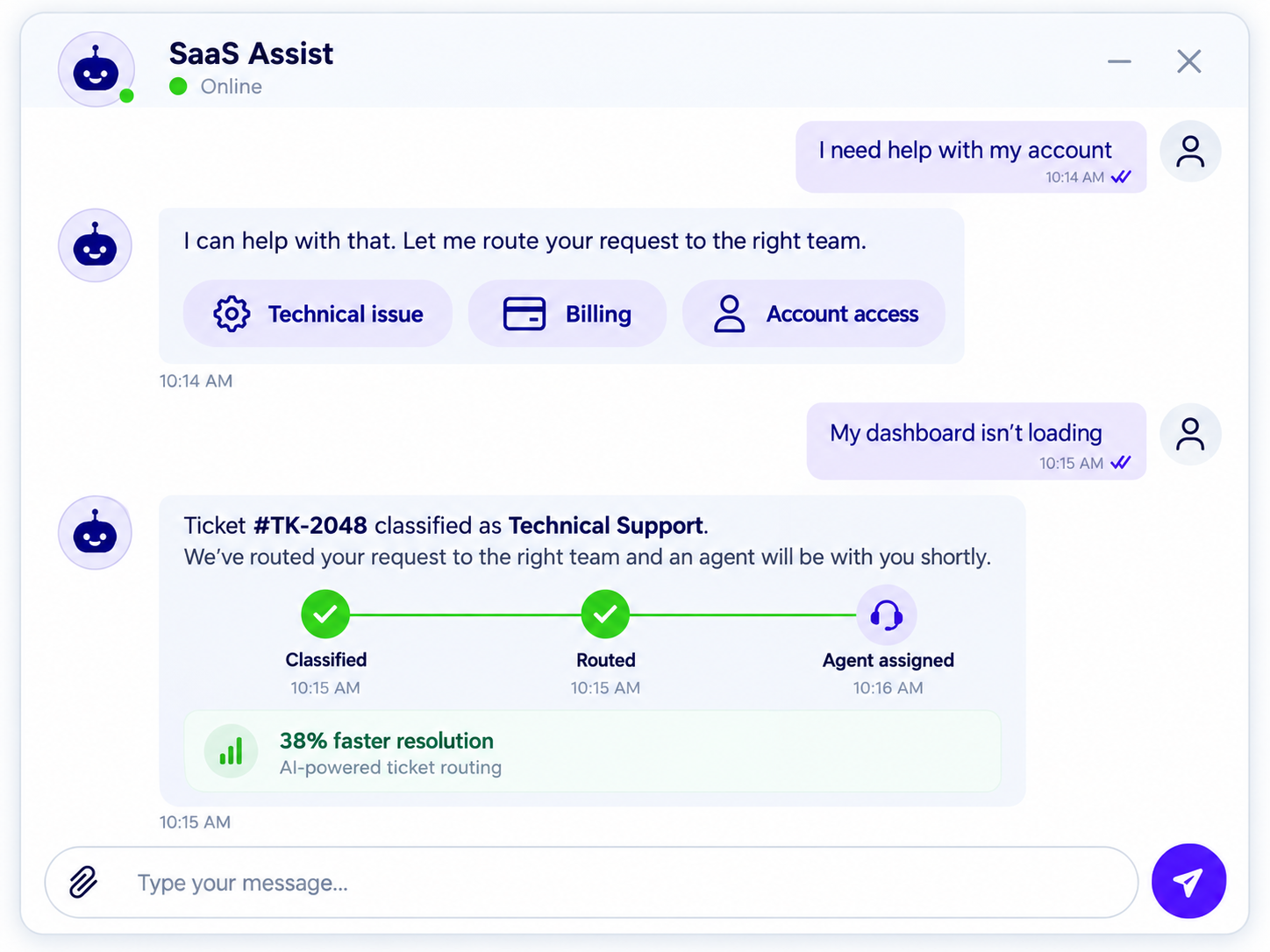
Implemented AI ticket classification, automated routing, and chatbot support to reduce resolution time by 38% and improve first-contact resolution.
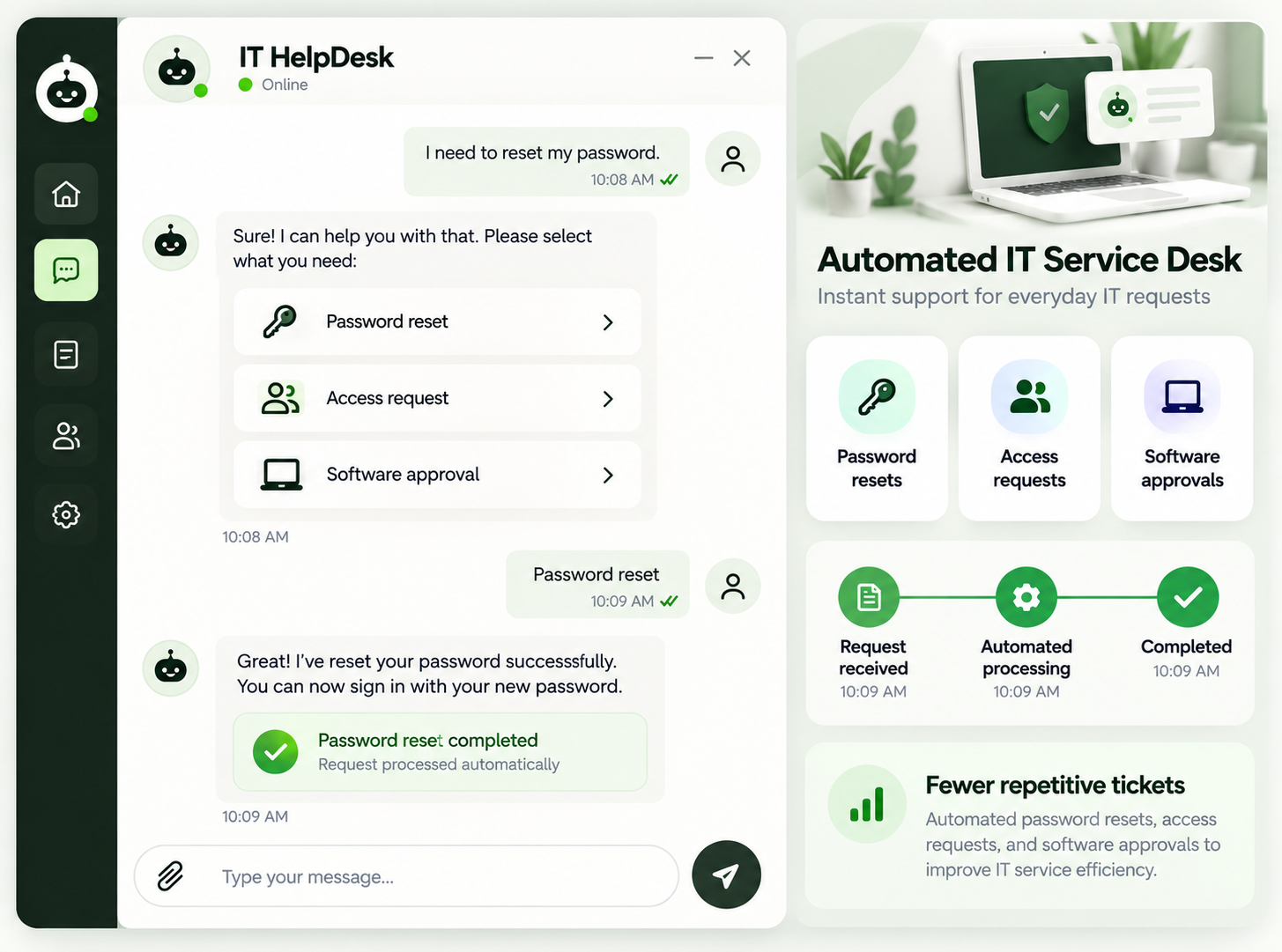
Automated password resets, access requests, and software approvals to reduce repetitive tickets and improve IT service efficiency.
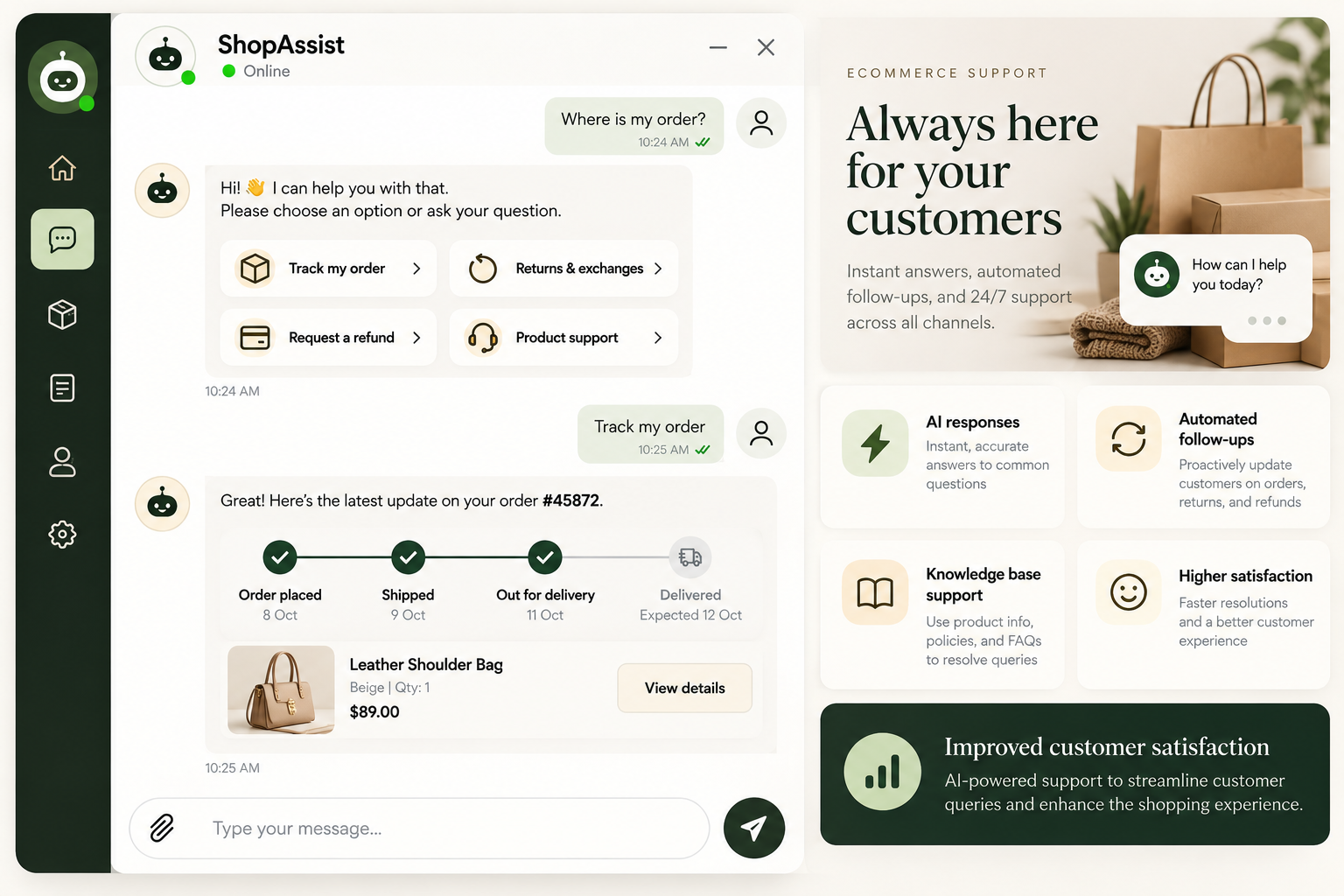
Integrated AI responses, automated follow-ups, and knowledge base support to streamline customer queries and improve customer satisfaction.
Our helpdesk automation solutions combine smart ticket routing, AI support, self-service tools, and real-time analytics to streamline support operations 24/7.
Our helpdesk workflow automation services automatically classify, prioritize, assign, and route support tickets. Intelligent ticket routing considers issue type, urgency, language, agent skills, and workload to get every request to the right person faster.
Our AI helpdesk solutions automate routine queries, understand customer intent, and assist agents, seamlessly escalating complex issues to human support with full conversation context.
We build an AI-powered knowledge base, automate FAQ delivery, and connect help center content with chatbots and self-service portals. Customers find answers independently, reducing repetitive support requests and freeing agents to handle more complex issues.
We automate IT service management workflows, including incident management, service requests, access approvals, password resets, and change management. Our IT helpdesk automation services align workflows with your operational requirements and relevant ITIL practices.
Our SLA management and reporting automation track ticket performance, identify at-risk service requests, trigger escalations, and provide real-time visibility into support operations. Use actionable analytics to improve response times, resolution rates, and customer satisfaction.
Connect email, live chat, web forms, and messaging channels through automated support workflows. Keep customer conversations organized, sync ticket information, and deliver consistent support across every channel.
Let’s build something that moves your support team forward. Get Your Free Helpdesk Automation Audit →
Support teams handle requests across email, live chat, phone, and social media while managing repetitive questions, manual ticket assignments, and disconnected systems. Meanwhile, customers expect fast, consistent support.
As ticket volumes grow, these manual tasks increase response times, support costs, and backlogs, leaving agents less time to resolve complex customer issues.
The Hidden Cost of Manual Support
Every minute an agent spends answering a routine FAQ, checking an order status, or resetting a password is a minute they cannot spend resolving a complex issue. It reduces repetitive work, so your team can focus on service quality, customer relationships, and meaningful problem-solving.
Three major changes are reshaping customer service and IT support.
Customers increasingly expect immediate responses, real-time ticket updates, and consistent support across communication channels. Automated ticket routing and AI chatbots help teams respond quickly without requiring an agent to handle every interaction manually.
Hiring more agents can increase capacity, but it also raises costs and creates additional training and management requirements. Helpdesk automation handles repetitive requests at scale, helping support teams manage higher volumes with fewer manual steps.
Manual reports and disconnected ticket queues make it difficult to identify bottlenecks. Support analytics, SLA monitoring, and automated reporting help managers understand workload, track service performance, and identify areas for improvement.
These changes make automation an operational advantage rather than simply another software feature.
Helpdesk automation vs. workflow automation
Helpdesk automation focuses on support-specific activities, such as ticket assignment, customer notifications, and resolution workflows. Workflow automation extends beyond individual tasks by connecting activities across teams, software platforms, and approval procedures.
Helpdesk automation vs. AI helpdesk
Helpdesk automation includes rule-based processes that operate without AI. An AI helpdesk adds artificial intelligence to understand customer intent, recommend answers, summarize conversations, and support more flexible interactions.
IT helpdesk automation vs. ITSM automation
IT helpdesk automation focuses on employee support requests, password resets, and service desk tickets. IT service management (ITSM) automation can extend further into incident management, problem management, change management, asset management, and service delivery.
Rule-based vs. intelligent automation
Rule-based systems follow predefined conditions. Intelligent automation combines rules with AI to interpret unstructured requests, classify issues, and assist with decisions that require contextual understanding.
An effective strategy typically integrates multiple approaches rather than depending on just one tool.
Every support ticket follows a series of steps, from creation to resolution and closure. Helpdesk workflow automation reduces manual work at every stage.
1. Ticket creation: Create tickets automatically from emails, chat conversations, web forms, and system alerts. Detect duplicates to keep queues organized.
2. Classification and tagging: Categorize incoming requests by issue type, urgency, customer, or department.
3. Routing and assignment: Assign tickets using agent skills, availability, workload, language, and priority.
4. Prioritization and escalation: Flag urgent incidents and automatically escalate tickets approaching SLA deadlines.
5. Resolution support: Suggest knowledge base articles, provide response templates, and automate troubleshooting for routine issues.
6. Closure and follow-up: Send resolution notifications, request customer feedback, and trigger follow-up workflows.
Every Ticket, Handled Smarter
Automating each stage of the ticket lifecycle reduces manual work, prevents delays, and keeps requests organized. Your team can resolve issues faster, meet SLA targets, and deliver a smoother customer support experience.
Automated ticket routing assigns requests to the right team or agent based on issue type, priority, language, and workload.
AI-powered ticket triage identifies urgent issues, prioritizes critical requests, and flags potential delays. Automated escalation alerts managers or routes tickets to specialists when SLA deadlines approach.
Together, these processes reduce backlogs, speed up resolution, and improve customer support efficiency.
It can deliver operational improvements across customer support and IT service management.
1. Faster response times: Automated acknowledgements, instant answers, and intelligent routing reduce delays.
2. Faster issue resolution: Tickets reach the right specialist, while agents receive relevant information and response suggestions.
3. Lower support costs: Self-service and automated workflows reduce repetitive manual tasks.
4. Higher agent productivity: Support professionals spend more time resolving complex issues.
5. Improved customer satisfaction: Consistent responses and clearer communication improve the support experience.
6. Scalable customer support: Teams can manage higher ticket volumes without increasing headcount at the same rate.
7. Better operational visibility: Helpdesk analytics reveal bottlenecks, workload patterns, and opportunities for improvement.
Actual outcomes depend on ticket volume, process design, system integrations, knowledge quality, and the level of automation implemented.
Build a Smarter, Future-Ready Helpdesk
AI-powered automation helps businesses move beyond basic ticket management toward proactive, connected support systems that improve efficiency, enhance customer experiences, and support long-term digital growth.
Our team will answer all your questions, We ensure a quick response.
We help support teams and growing businesses automate repetitive tasks with intelligent technology, streamlined workflows, and measurable results.
We design automation workflows tailored to your support processes, ticket management needs, and business goals.
We focus on measurable results, including time savings, faster responses, and improved resolution rates.
We build reliable, tested automation workflows with seamless integrations and clear human handoffs.
We use evolving AI and automation technologies to deliver secure, scalable solutions aligned with your needs.
Our structured implementation process transforms repetitive support tasks into a connected, automated helpdesk. Every phase is designed to reduce risk, improve efficiency, and create measurable progress toward long-term support operations goals.
We analyze support workflows, ticket data, and existing tools to identify automation opportunities and create a prioritized roadmap.
We organize knowledge content, define ticket routing rules, and design response templates and escalation workflows.
We implement automated workflows, connect your helpdesk with existing systems, and test everything before launch.
We monitor performance, refine workflows, and track key metrics to improve efficiency and maximize ROI.
Discover how helpdesk automation improves support efficiency, streamlines ticket handling, and enhances customer experiences through real client results.
( 40+ Reviews )


"Our team spent too much time reviewing support tickets and assigning them manually. AI-powered ticket routing and automated responses helped us organize requests, speed up resolutions, and give our agents more time to focus on complex customer issues."
It automates repetitive support tasks like ticket routing, responses, and routine requests using workflows and AI.
AI chatbots, self-service portals, and knowledge bases resolve common questions before tickets are submitted.
AI handles routine tasks, while human agents manage complex issues and sensitive conversations.
Simple projects may take 4–8 weeks, while complex integrations may require longer.
Costs depend on ticket volume, software, integrations, and automation requirements.
Usually, yes. APIs and integrations can connect your helpdesk with CRM, email, and ITSM tools.
Yes, when properly configured with access controls, secure data handling, and appropriate oversight.
Start with repetitive tasks like ticket classification, FAQs, password resets, ticket assignment, and SLA alerts.